3 ways of automating your marketing workflows (part two)
Welcome to part two! You can catch up on part one here.
2. Managed script hosting platforms
Google App Scripts (GAS) might not be the first name in mind when talking about workflow automation. However, with a bit of Javascript and understanding of APIs, a technical marketer can set up relatively complex multi-step automations.
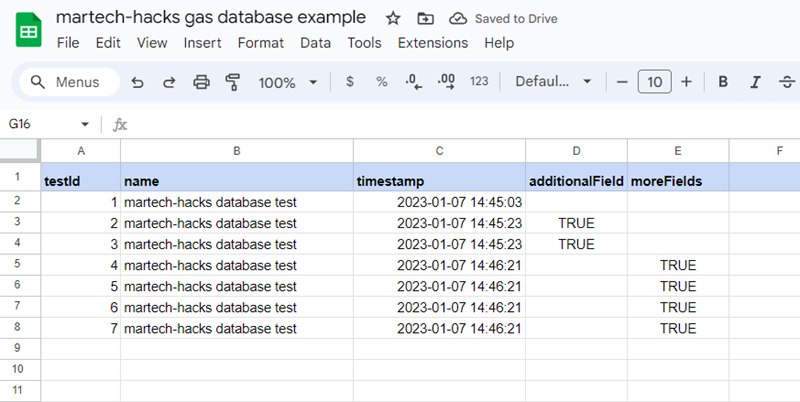
Essentially what Google is offering here is an environment to automate scripts. You can schedule your scripts to run at regular times, trigger them on interactions with Sheets/Docs, or access them via API after publishing them as a webapp.
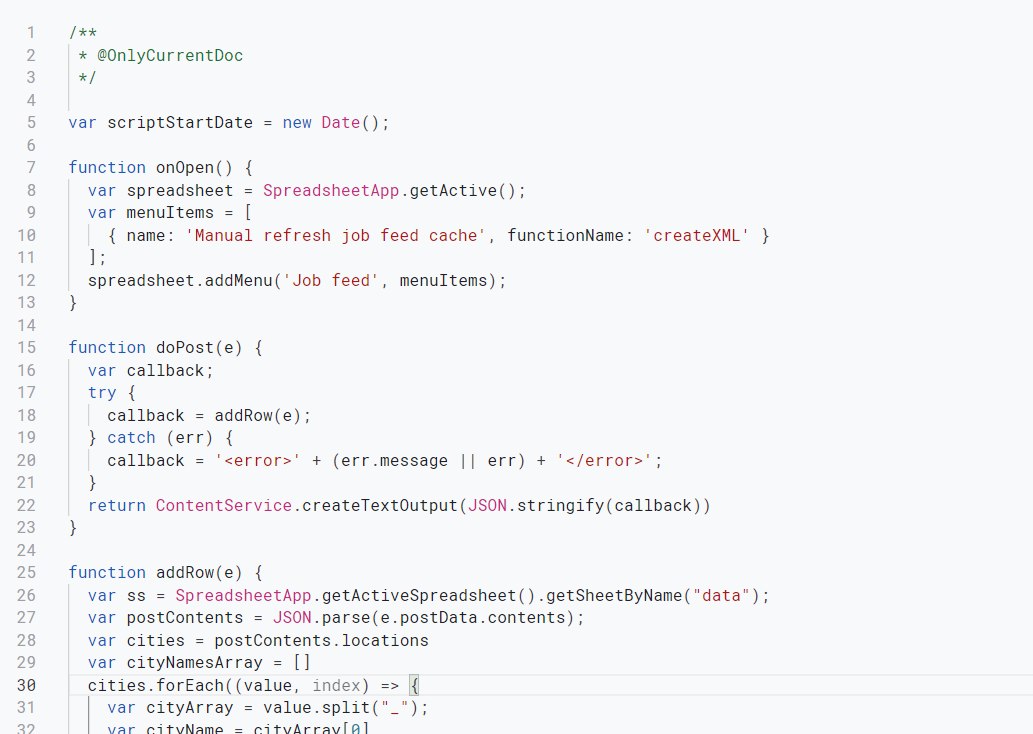
Perhaps unsurprisingly, connectivity with Google services offers the most seamless integration possibilities. It’s super easy to send data to a Google Sheet without additional authentication, for example. However, you can also connect with 3rd parties with the URLFetch service and handle authentication with API keys or with more complex methods like OAuth2 using open source libraries.
As anyone who has used Google Workspace can attest to, collaboration is one of the best features. You can easily share your project with your colleagues. Pretty much every company uses Google Workspace too, so there’s no need to convince your boss and/or IT department to authorise anything new (or expensive).
In my experience, the main drawback of App Scripts is performance. Google App Scripts gets very sluggish when you’re moving around a high volume of data, but also when you alternate read/write operations or when you are connecting with multiple external services. GAS is also a little unreliable compared to dedicated automation platforms and scripts sometimes fail/timeout – so you’ll definitely want to take advantage of Google Cloud’s logging once your project is up and running.

The webapp functionality is awesome for triggering your scripts via API. However, debugging those scripts can be a real hassle as you cannot use console logs. You’ll probably end up redeploying your script many times in the testing phase and adopting a kind of trial-and-error approach.
Final point: GAS’s simple sharing is something of a double edge sword. If many people have access to your project or the Google Sheet it’s attached to, you may rightly be a little nervous about saving unencrypted API keys in the script.
Pros
- Free to use within Google account limits and already part of most companies’ tech stacks
- Custom scripting without worrying about servers to host your coding
Cons
- Slow when it comes to moving around high data volumes
- Debugging webapps is frustrating and time consuming
Alternative: python anywhere
If you’re looking for a simple platform to host and trigger Python scripts, then cloud-based hosting service Python Anywhere could be a good choice. There is a free tier to get you started and the balance of reviews are very positive on the platform’s ease of use and functionality.
Just make sure to run this past your Platform/DevOps/IT team – as they may wish to audit new tools and ensure they comply with the company’s security policies.
3. Dedicated marketing automation server
One step beyond managed script hosting platforms comes fully fledged virtual servers like Amazon EC/2. With an EC/2 instance, you can store your scripts on the server and then automate them with Cron or any other scheduler. As you retain complete control over the server, your workflow automations are essentially as secure, reliable and fast as you choose to make them.
This option clearly requires significantly more technical expertise and you should not underestimate the work involved. Your server will need to be set up from scratch, you will need to install any Python libraries you need, handle security certifications etc. For these reasons, your IT/Platform department might be reluctant to allow setup of a dedicated server using or interacting with company infrastructure.
Pros
- Complete control over your automations
- No additional costs beyond what you spend on the server
Cons
- Requires technical expertise for coding the scripts and hosting the server
- Product/Data teams may not be comfortable with this
As you can see, there are many options when it comes to workflow automations. Be sure to map out your requirements in advance, so you can choose the appropriate platform and consult with your Product/Engineering and Data teams if necessary.
Have fun!