Setting up the perfect martech stack for marketing technologists: essential apps and tools
The ideal martech stack is highly subjective and dependent on many factors, not least personal preference.
That said, I’ve been inspired by a recent traumatic experience (basically my old work laptop died and I had to get a new one and spend ages setting it up) to jot down my ideal martech stack – if nothing else, to make myself a handy checklist for next time I have computer troubles, onboard a new joiner, or start a new job.
I started off just thinking about the apps I install on my laptop, a personal martech stack if you will. But in the end, the list expanded somewhat to include my favourite tools and things I request access to as well.

Eagle-eyed readers will notice that the following list has some Windows-only apps. Unfortunately, Apple and I haven’t developed the best relationship over the years – despite repeated attempts – so I’m very much on the Windows side of that particular debate. Apologies to Apple fans!
Without further ado, here’s a list of the first applications I install on a new laptop, as well as a run through of some tools that make up a decent martech stack.
_Apps__
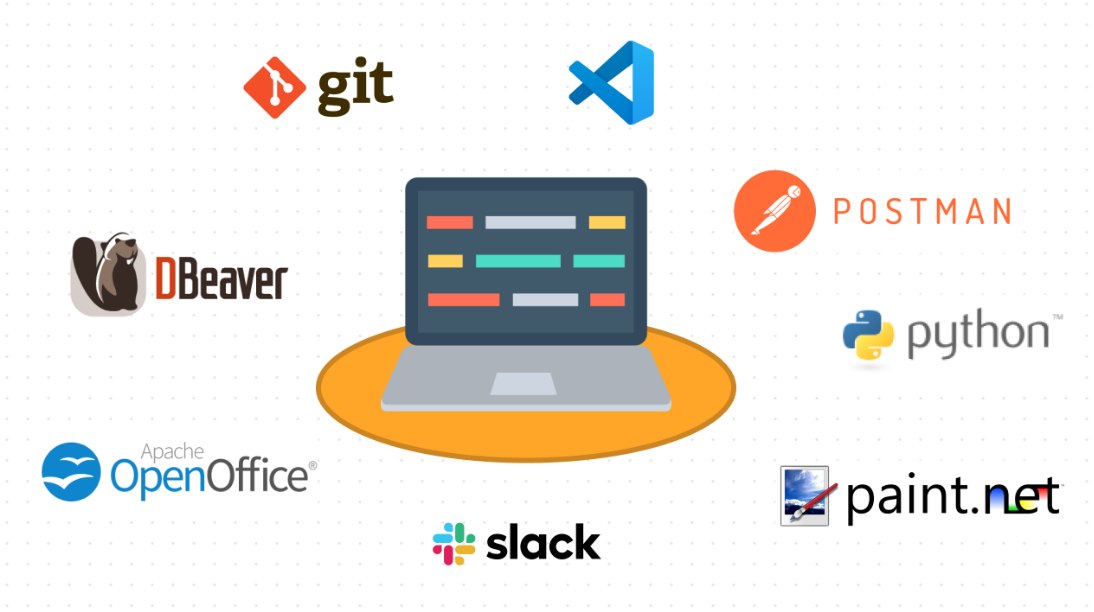
Postman (link)
- API testing
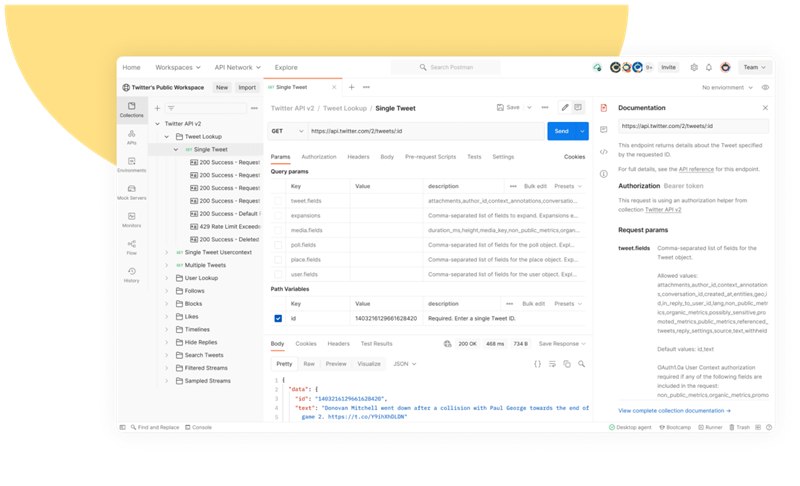
Needless to say, marketing technologists work with a lot of APIs and there is no better tool for testing them, in my humble opinion, than Postman. Packed with features including an awesomely useful mock server function (which I’ve just discovered), a code snippet generator to get your started with API calls in a language of your choice, and pleasing spaceman branding.
Visual Studio Code (link)
- Code editor
There are a plethora of Development Environments available, but to be brutally honest, VS Code is the only one I’ve ever seriously used. Its perfect balance of functionality and accessibility – combined with the admittedly simple needs of my web-based technical projects – means I’ve never felt the need to try something new.
Python (link)
- Programming language
For marketing automation, there are few better languages than Python. Even if you are not a hardcore Software or Data Engineer, setting up Python (and learning how to code it, of course) will be super useful for pulling data from APIs, analysing/manipulating it, sending it to other APIs – and just generally reducing manual work and saving your valuable time.
DBeaver (link)
- Database tool
Like Development Environments, you have a vast choice of tools when tapping into your databases. And just like with Development Environments, I’ve nailed my colours to one particular Database Tool, namely DBeaver. It’s open source, has a simple & easy-to-use interface and can handle the marketing technology-type tasks I need it for. What’s not to like?
Gitbash (link)
- CLI for Git
If you’re not already using Github for your martech projects, you should really start doing so. The world’s biggest source code host (according to my favourite website ever, Wikipedia) allows you to document your projects, version control, and collaborate better as a team. Absolutely essential for those of us who have a chaotic folder structure on their laptop and tend to lose things! Gitbash is a desktop tool which allows you to read and edit your Github repos from the command line.
Slack (link)
- Communication platform
No introduction necessary for this one, seeing as how just about every company in the startup space uses it. I always download the desktop app. Not sure entirely why though, seeing as the web app offers basically the same functionality. Although I’m reliably informed that connection errors are dealt with better in the desktop version, so maybe there is a reason after all.
OpenOffice (link)
- Document suite
To save money, some cost-conscious startups are now only offering Microsoft Office licenses to those colleagues who specifically need them If you’re a more casual user, you might try OpenOffice – rather than plumping for Bill Gate’s more famous offering. Whilst it’s most definitely not nearly as powerful as Microsoft Office, it is free to use and does well enough for basic needs.
Paint.net (link)
- Image editing tool
“Impressive” – PC World, top 100 products of 2007
“Useful” – David, Martech-hacks, 2024.
Controversial final choice for my app list and I can already hear the giggles of my designer colleagues, but hear me out. For image editing software, I always download Paint.net – which is basically MS Paint with a few additional features like layers, filtering and more advanced cropping. Others may laugh but for someone of my limited creative skills, it does everything I need it to do.
_Tools and accesses__
Marketing technologists have their fingers in a lot of pies, especially when it comes to the company’s marketing tools. You probably need a login to almost everything, except perhaps for those creative tools like Photoshop.
It’s not possible to make a definitive list obviously, but here are some examples:
* Paid acquisition platforms
E.g. Google Ads (link), Meta (link)
* CRM platform
e.g. Braze (link), Salesforce Marketing Cloud (link)
* Mobile measurement partner
e.g. Adjust (link), Kochava (link), Apps Flyer (link)
* Search Engine Optimisation
e.g. Google Search Console (link)
* Analytics and data visualisation
e.g. Sisense (link), Metabase (link)
Other things
Marketing technologists’ access needs are not limited to marketing tools, however. You’ll also need access to wider company infrastructure; including things which are often used by Engineering and Data teams.
Again, the ‘not-definitive-list-all-companies-are-different’ proviso from above applies.
Data Warehouse
Getting into the Data Warehouse is essential to understand the first party data which is being collected. Why is this important? Well asides from gaining a better understanding of your company operations, this data can help you enrich your marketing – allowing for better personalisation and segmentation. You can also run your own analyses 🙂
Tag Management System – e.g. Google Tag Manager (link)
As a Marketing Technologist, integrating new website tools and forwarding events will most likely fall on your broad shoulders. Google Tag Manager is the most common solution here, allowing you to set new things up on your website without access to the core code and therefore, not hassling your Engineering team every time you want to send a new conversion to Google Ads.
Customer Data Platform – e.g. mParticle (link), Segment (link)
Not every company has implemented a CDP, but they are definitely getting a more popular addition to the martech stack – and simply put, are fantastically awesome tools for marketing enablement. Marketing technologists are some of the heaviest users here, making extensive use of tool integrations, event forwarding and audiences. Check this post for some ideas on using custom functions.
Github (link)
I already mentioned Github in the last section, as a vehicle for storing your martech projects, but you should also ask to be added to your company’s organisation. You’ll be able to gain an understanding of your company’s infrastructure and wow your engineers with your knowledge of the code base.
Zapier (link)
This no-code platform is just about the easiest way to automate your workflows. It includes 100s of integrations, including webhooks for your special miscellaneous tools. It traditionally has not been the most flexible platform, however things have got a lot better in the last few years with the addition of versions and launch control.
Cookie management tool – e.g. Cookiebot (link)
Website compliance issues sometimes fall under Martech’s remit, so make sure you ask for access to your company’s cookie management tool. Cookies and data privacy are of course, one of marketing’s hot topics at the moment and solutions like Google’s privacy sandbox & Apple’s SK Adnetwork are essential to understand for Marketing Technoligists.
Landing page builder – e.g. Unbounce (link), WordPress (link)
Not every company has set up a landing page builder, but I truly believe this is essential infrastructure for business teams. For pages to support campaigns or for app download pages, for example. Otherwise, Engineering has to support you every time you want to host some new T&Cs.
_Summing up__
And that’s it. My ideal martech stack. Hope you found it useful!